Highlights
A Chrome extension for saving the best lines you read on the web — one click to highlight, nothing else in the way.
Problem
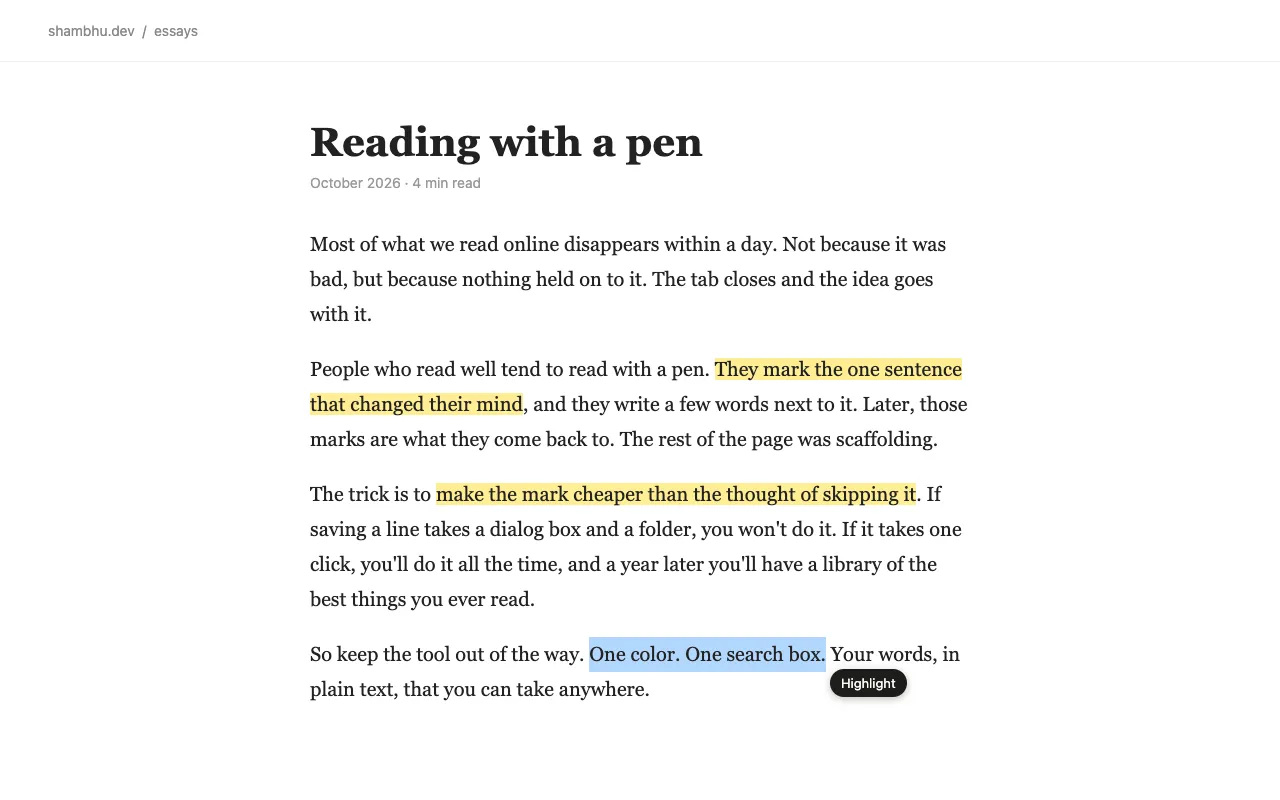
Most text highlighters felt bloated. Sometimes you just want to highlight a good line, save it, and come back to it later — without folders, complex workflows or noise.
What I built
Select text on any page and click Highlight. The line turns yellow and stays highlighted every time you come back to that page.
- One-click highlighting
- Notes and tags on any highlight
- Search across everything you’ve saved
- Jump back to the exact line on the page
- Export everything as Markdown or JSON
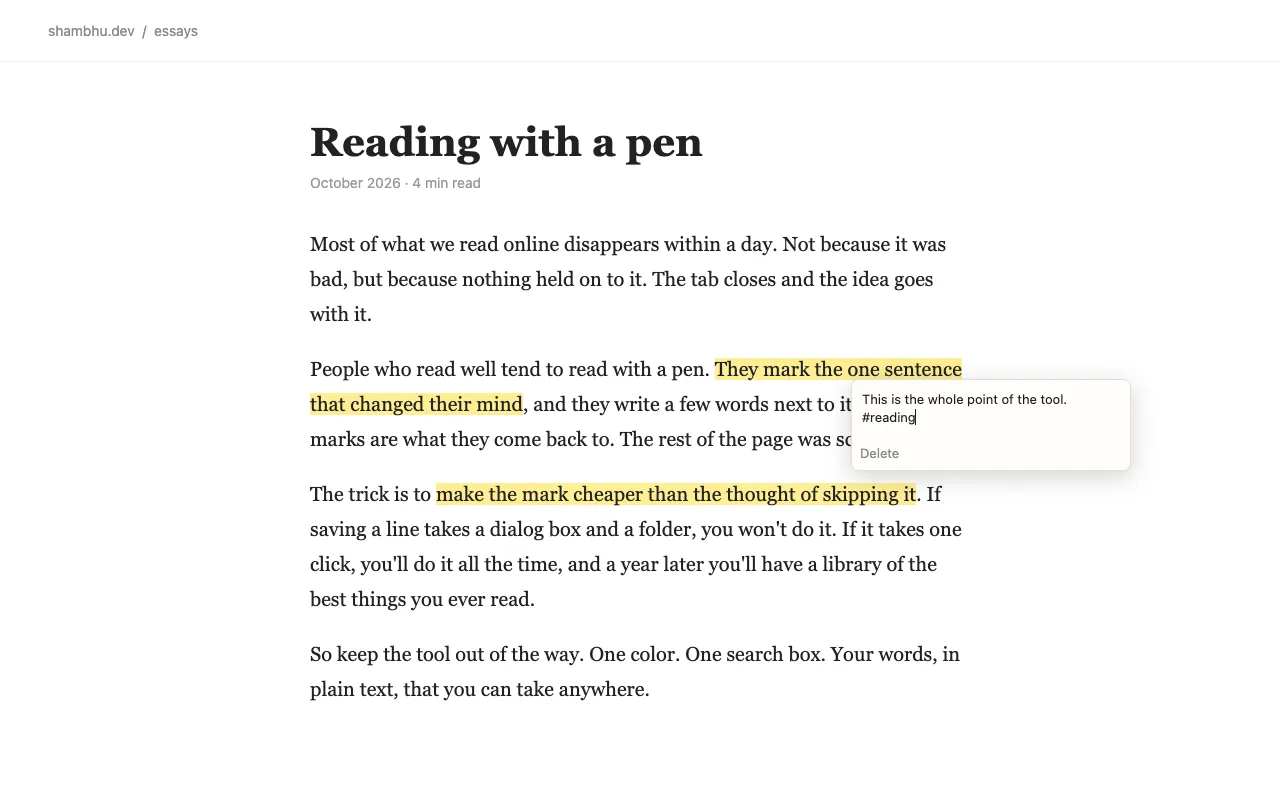
A note and a tag on a highlight.
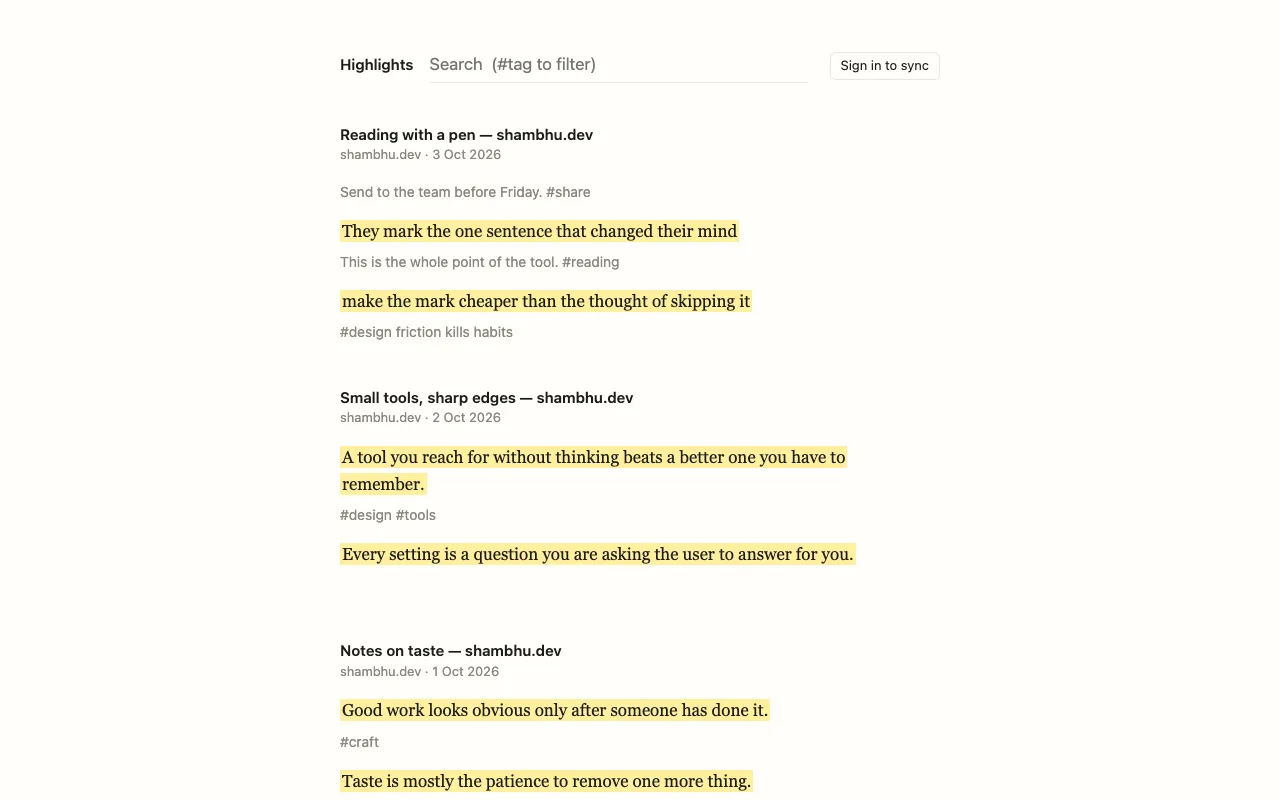
Every highlight in one place, searchable, with #tag filters.
What I left out
The product is defined as much by what isn’t there: no clutter, no tracking, no unnecessary features. Just a simple tool to help you save and revisit the things you read on the web.
What’s next
It’s live on the Chrome Web Store, and I’ll keep improving it over time.